Easy MIC Booster
Microphone gain amplification & high-quality audio processing for Windows.
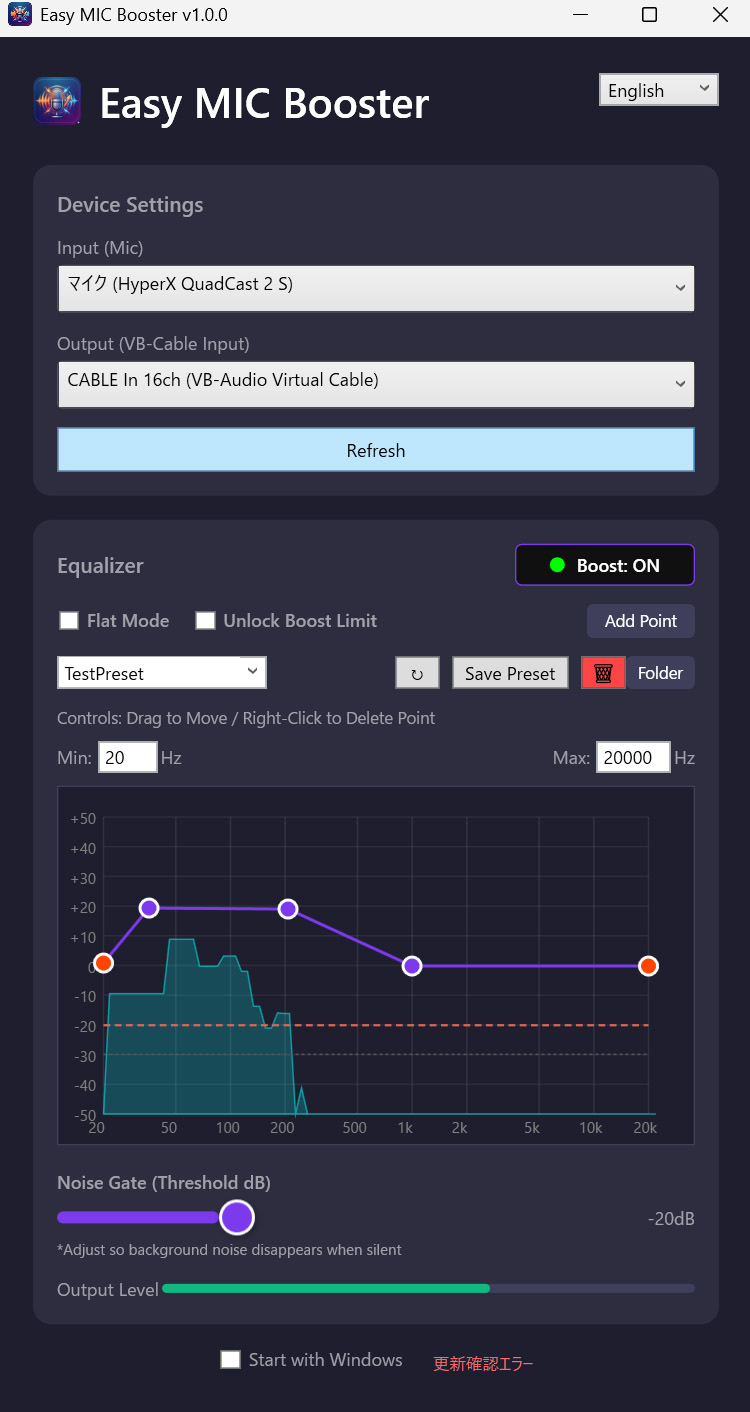
Captures microphone input via NAudio, processes it through AI Noise Suppression (RNNoise), Equalizer, Noise Gate, and Limiter, and routes it to a virtual audio device such as VB-CABLE.
Key Features
- Software Amplifier – eliminates microphone gain shortage at the system level
- AI Noise Suppression – RNNoise-based removal of fans, keystrokes, and other background noise even while you speak
- Noise Gate – mutes the channel between phrases for completely silent gaps
- Parametric Equalizer – visual graph editing with savable presets
- Limiter – prevents clipping from sudden loud noises
- Bilingual UI – English / Japanese
- Auto Save – device, switches, and EQ are restored on next launch
How It Works
Microphone Input
       │
       ▼
 NAudio Capture (PCM)
       │
       ▼
 DSP Chain (RNNoise → Equalizer → Gain → Noise Gate → Limiter)
       │
       ▼
 Virtual Audio Device (VB-CABLE Input)
       │
       ▼
 Discord / Zoom / OBS / etc.
Quick Start
- Install VB-CABLE.
- Download and unzip the latest release.
- Launch
EasyMICBooster.exe. - Select your microphone as Input and
CABLE Input (VB-Audio Virtual Cable)as Output. - Toggle the central switch ON.
- In Discord/Zoom/OBS, select
CABLE Output (VB-Audio Virtual Cable)as the microphone.
See User Guide for the full walkthrough.